
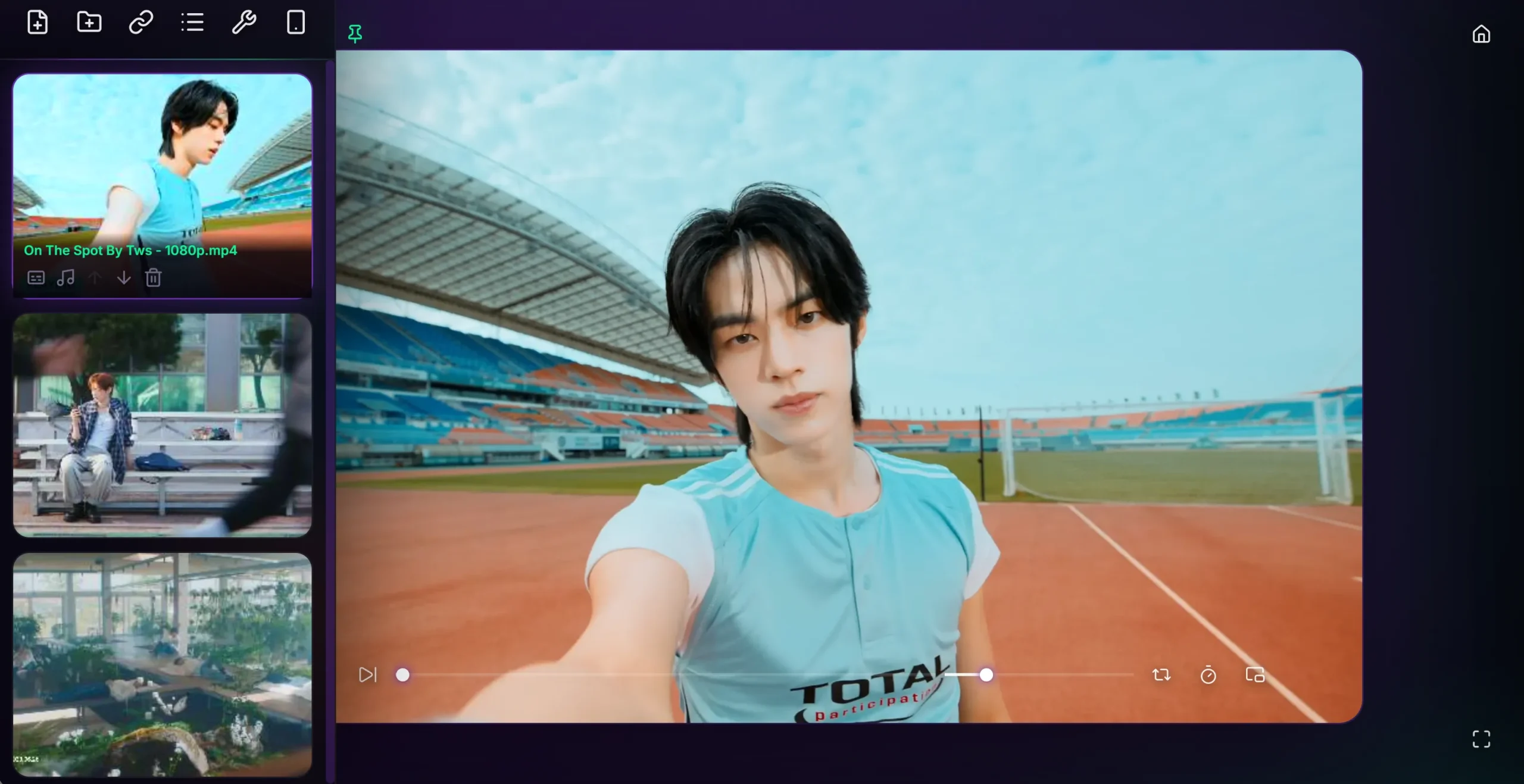
Aptosity Video features the cleanest, beautiful and most powerful web app video player in the world. Privately play MP4, MKV, WEBM, URL, and MOV files directly in your browser without uploading a single file. Features a large thumbnailed playlist, A-B looping, and Picture-in-Picture. The video player also includes built-in tools to convert embedded (but not web-friendly) subtitles (to SRT/VTT) and audio (M4A to MP3) for seamless playback on any device. The player is optimized for Chromium-based browsers like Chrome, Brave, and Edge, as Firefox has limited compatibility with MKV. Also available as a Chrome Extension. While video players like VLC are enormously powerful and great for playback, their interface isn’t so nice looking and modern.

Mobile Version
Our mobile video player is just as ambitious and beautiful. It makes enjoying your phone video files very fast, easy, and private. No need to install an app, just visit https://freevideoplayeronline.com/mobile, and you’re ready to browse and play. Features playlists with thumbnails, a-b looping, looping, fill mode, add subtitles and mp3 audio tracks for non-web friendly embedded sources after a one-time conversion for the video files that might need it.
No Audio Or Subtitles?
If your show or film is missing audio or embedded subtitles, use the free tools below to extract and convert them into web-friendly formats. Afterward, place your video file, its stereo MP3 track, and SRT/VTT subtitle file in the same folder. You can then attach them to individual videos, or import the entire folder. Doing this one time ensures you’ll be able to play that video in our player on any device going forward, even with our mobile player.
No Audio (Fix)
- Extract audio track using MKV Extractor. (Use manual mode)
- Convert extracted audio track to MP3 using Happy Scribe.
- Place the new MP3 file in your movie’s folder
- Click the audio icon on the video & attach the MP3 to the video.
No Subtitles (Fix)
- If you already have a .SRT or .VTT subtitle file for the video, skip to step 5.
- Extract subtitle track using MKV Extractor. (Use manual mode)
- Optional: If need be, convert exported subtitle file to SRT or VTT with Subtitle Tools.
- Save the new SRT or VTT file in your video’s folder.
- Click the subs icon on the video & attach the SRT/VTT to the video,
This one time process ensures the video will be 100% playable with Aptosity Video (desktop and mobile) going forward, without the need for a full desktop player. It also allows you to play non-web-friendly video, without having to re-encode the entire video.
HandBrake
You can also re-encode an entire video to ensure complete video player compatibility by using HandBrake. Check web-optimized, convert audio to MP3 and burn in your chosen subtitles for your chosen video. This would make the video playable (with working subs and audio) on virtually any device or browser – especially if you make it a web-optimized MP4 with burned in subs and an MP3 audio track.